 SpriteSheetGen
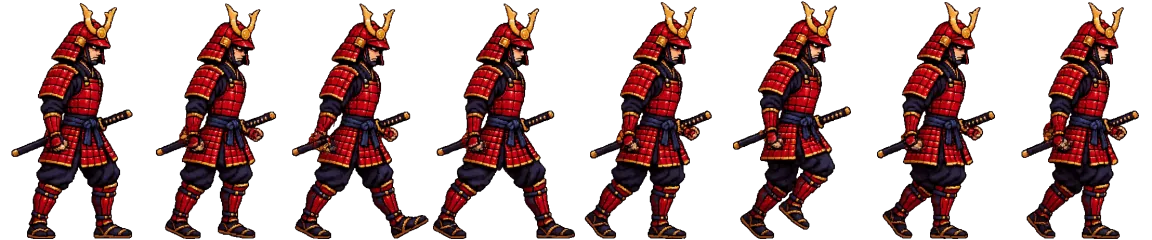
How to convert a GIF to a sprite sheet
1. Upload the GIF
Upload an animated GIF (or animated WebP). Every frame is decoded and the frame delays are averaged into one playback rate.
2. Choose the frames
Optionally trim the range, reduce the frame count, remove a solid background or convert to pixel art.
3. Pick a layout
Choose a single row strip or a grid with a set number of columns.
4. Download
Download the sprite sheet PNG together with a JSON atlas, a Godot .tres file and the individual frames.
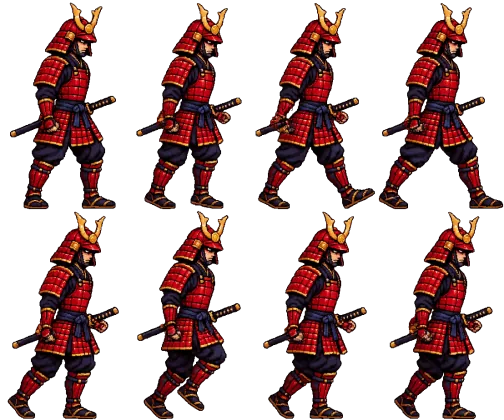
Example: animated GIF to a 4-column sprite sheet
Why convert a GIF to a sprite sheet?
Game engines do not play GIFs. They draw one texture and switch between rectangles inside it, which is faster and keeps full colour and alpha. A sprite sheet also lets you set a precise pivot so the character does not slide while animating.
Need the opposite direction? Use the sprite sheet to GIF converter to make a preview for your devlog or store page. Need a new character instead? The AI sprite sheet generator (coming soon) will create one from a description.
FAQ
Is the original GIF timing kept?
Frames are played back at one constant frame rate (the average of the GIF's frame delays), because sprite sheet animations in game engines use a fixed rate. Adjust it with the Playback slider.
Does it keep GIF transparency?
Yes. Transparent GIFs keep their transparency and background removal is switched off automatically. For GIFs with a solid background, turn on “Remove solid background”.
Which browsers are supported?
Animated GIFs open in every current browser. Animated WebP needs the WebCodecs ImageDecoder API (Chrome, Edge, Firefox 133+ and Safari 27.3+); in an older browser, save the animation as a GIF or MP4 first.
Can I change the frame order or speed?
You can choose a frame range, the number of frames and the playback fps. The fps is written into the JSON atlas and Godot resource.
More free sprite tools
Video to Sprite Sheet
Turn an MP4 or WebM clip into a clean, aligned sprite sheet with a transparent background.
Sprite Sheet Maker
Pack separate PNG frames into one sprite sheet with a JSON atlas and Godot resource.
Sprite Sheet to GIF
Preview a sprite sheet as a looping animation and export a transparent GIF.
Sprite Sheet Cutter
Slice a sprite sheet into individual PNG frames by grid, with automatic grid detection.
AI Sprite Sheet Generator
coming soon: create a new animated character from a text description.